The Device Pairing Tool in Logitech G HUB allows you to pair replacement USB receivers with your mouse or keyboard. You may also use this tool to pair your mouse with Logitech POWERPLAY.
The Device Pairing Tool will allow you to select the receiver and the device you want to pair it with. The receiver selected will determine what devices can be paired with it. The compatible devices that can be paired with the selected receiver will be shown afterward.
You may need to update the firmware on your device before using the Device Pairing Tool. Please follow any on-screen instructions you receive if G HUB informs you that your device firmware is out-of-date.
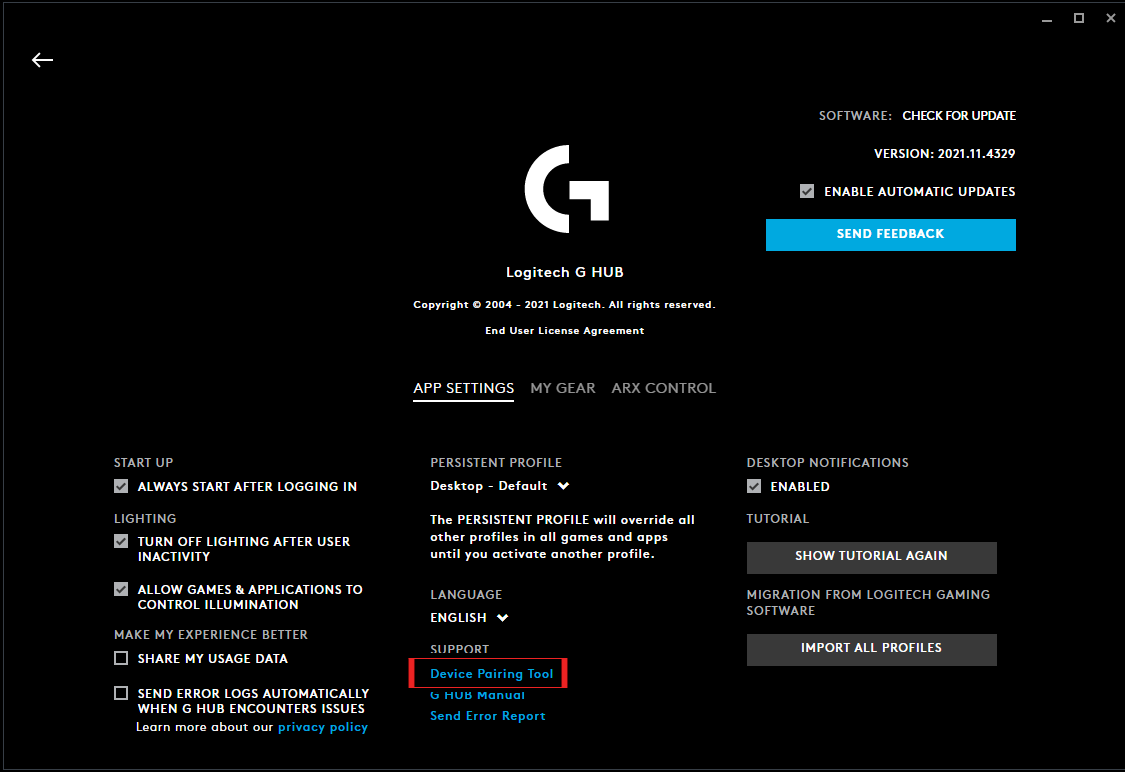
To get to the Device Pairing Tool, follow the steps below.
- Launch Logitech G HUB
- Go into G HUB SETTINGS by clicking the gear icon in the right-hand corner
-
Under SUPPORT, click on Device Pairing Tool to launch the new tool
-
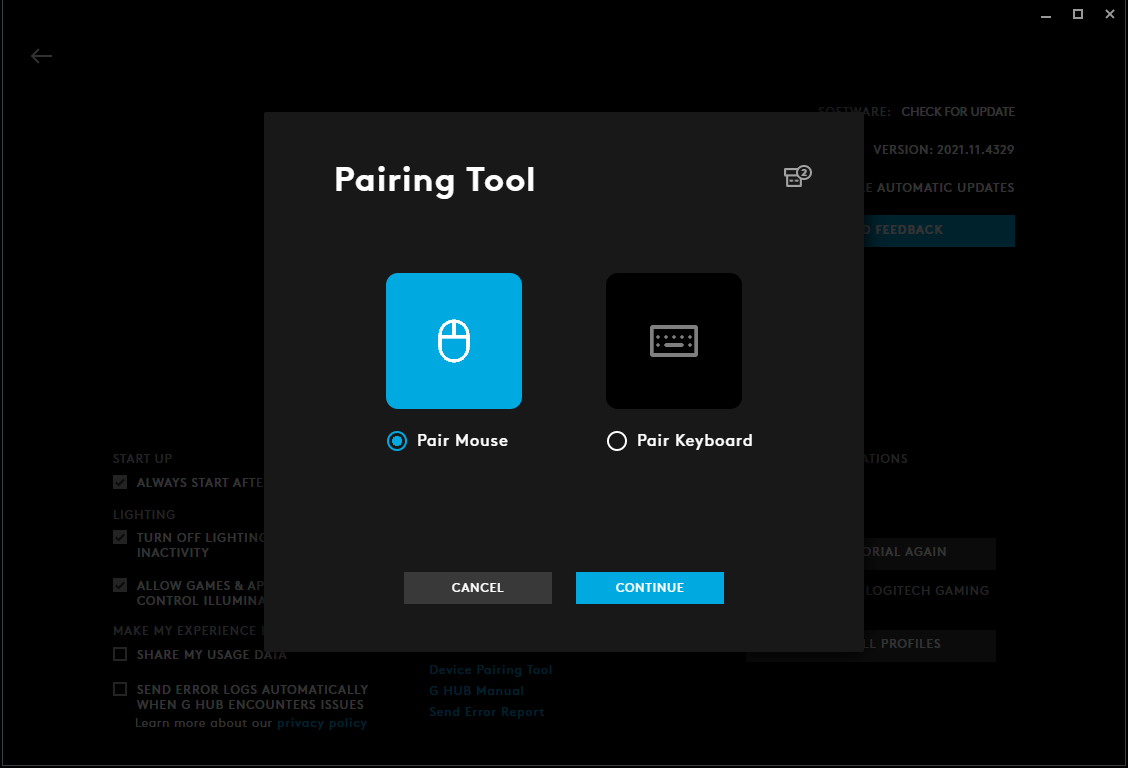
The Device Pairing Tool will launch and allow you to either pair mouse or keyboard. Please select the type of device you want to pair and follow the on-screen instructions.
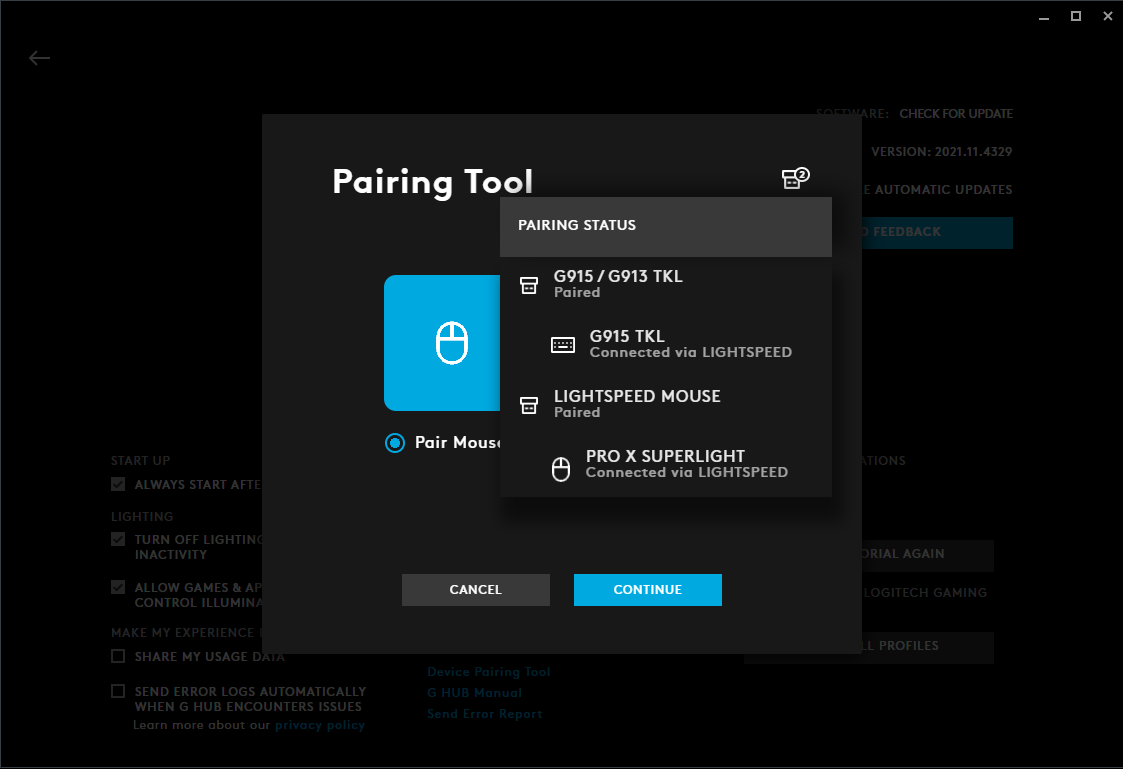
Please note that you can also see your plugged-in receivers’ status by hovering over the receiver icon in the right-hand corner. This will indicate what receivers are already paired and which ones are unpaired.
重要須知:韌體更新工具不再由 Logitech 支援或維護。我們強烈建議為支援的 Logitech 裝置使用 Logi Options+。在此過渡期間,我們會隨時為您提供協助。
重要須知:Logitech Preference Manager 已不再由 Logitech 支援或維護。我們強烈建議為支援的 Logitech 裝置使用 Logi Options+。在此過渡期間,我們會隨時為您提供協助。
重要須知:Logitech Control Center 已不再由 Logitech 支援或維護。我們強烈建議為支援的 Logitech 裝置使用 Logi Options+。在此過渡期間,我們會隨時為您提供協助。
重要須知:Logitech Connection Utility 已不再由 Logitech 支援或維護。我們強烈建議為支援的 Logitech 裝置使用 Logi Options+。在此過渡期間,我們會隨時為您提供協助。
重要須知:Unifying Software 已不再由 Logitech 支援或維護。我們強烈建議為支援的 Logitech 裝置使用 Logi Options+。在此過渡期間,我們會隨時為您提供協助。
重要須知:羅技不再支援或維護 SetPoint 軟體。我們強烈建議為支援的 Logitech 裝置使用 Logi Options+。在此過渡期間,我們會隨時為您提供協助。
常見問答集
沒有適用於此區段的產品
沒有適用於此產品的下載項目
沒有適用於此版本的下載項目。
Compatible Product
