The Device Pairing Tool in Logitech G HUB allows you to pair replacement USB receivers with your mouse or keyboard. You may also use this tool to pair your mouse with Logitech POWERPLAY.
The Device Pairing Tool will allow you to select the receiver and the device you want to pair it with. The receiver selected will determine what devices can be paired with it. The compatible devices that can be paired with the selected receiver will be shown afterward.
You may need to update the firmware on your device before using the Device Pairing Tool. Please follow any on-screen instructions you receive if G HUB informs you that your device firmware is out-of-date.
To get to the Device Pairing Tool, follow the steps below.
- Launch Logitech G HUB
- Go into G HUB SETTINGS by clicking the gear icon in the right-hand corner
-
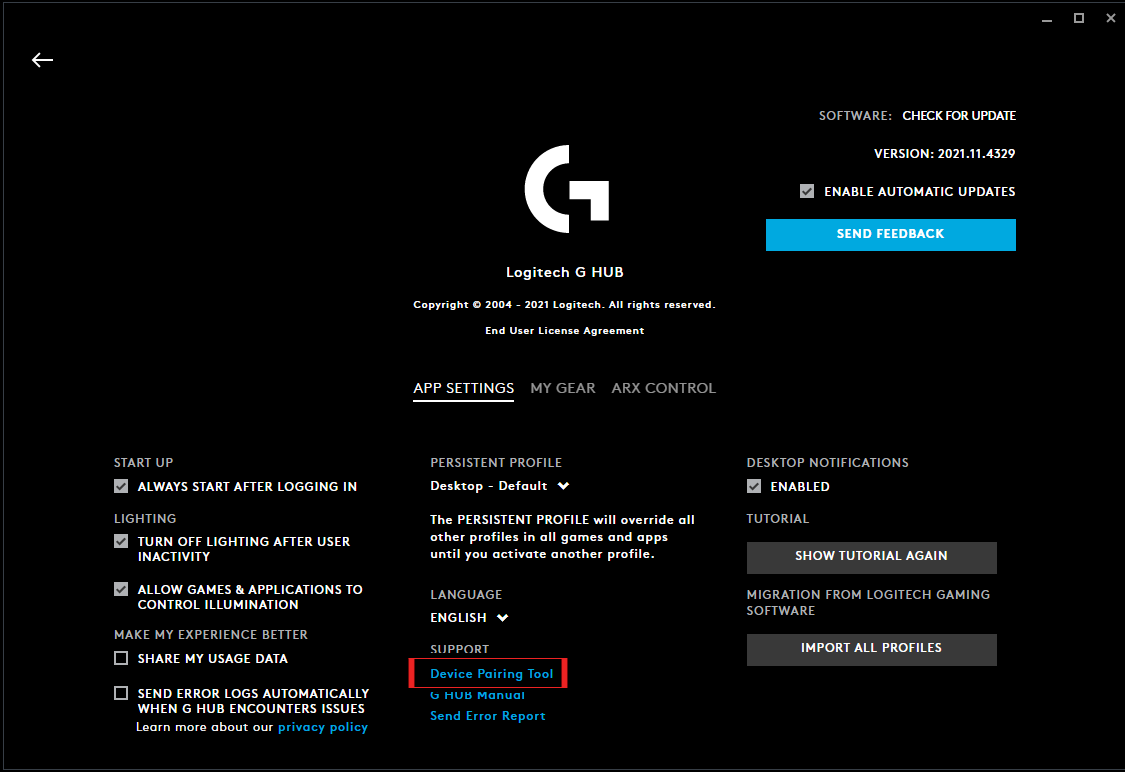
Under SUPPORT, click on Device Pairing Tool to launch the new tool
-
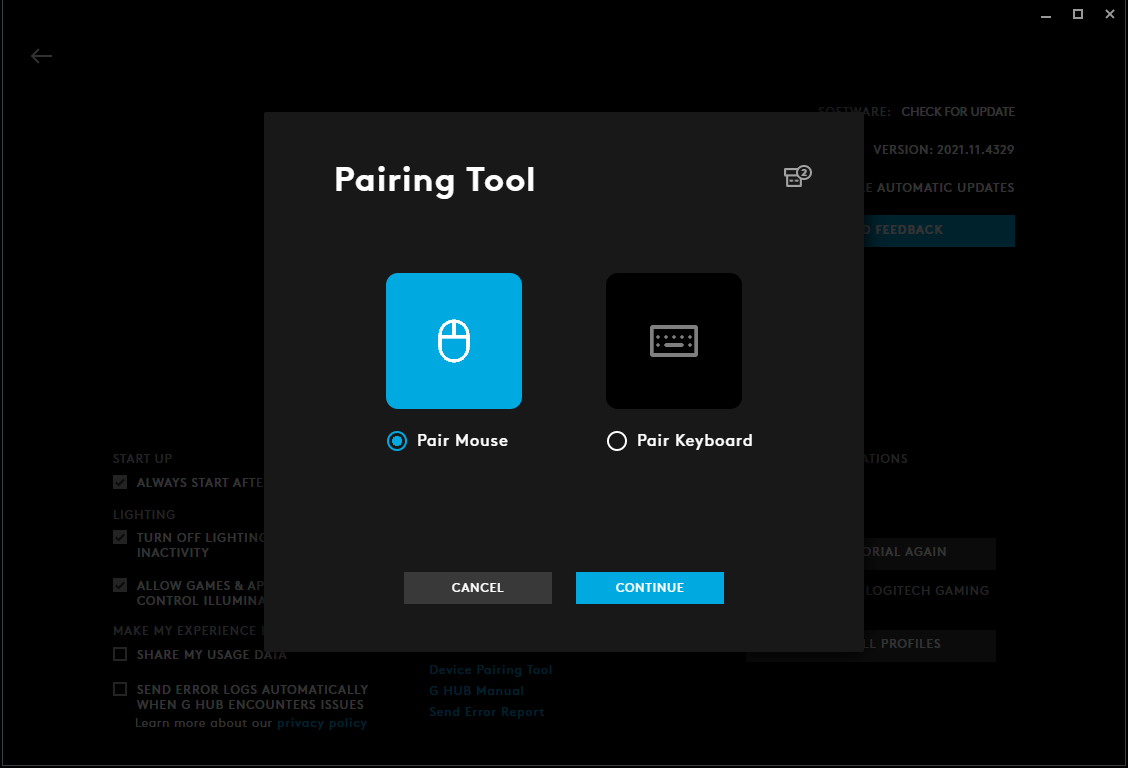
The Device Pairing Tool will launch and allow you to either pair mouse or keyboard. Please select the type of device you want to pair and follow the on-screen instructions.
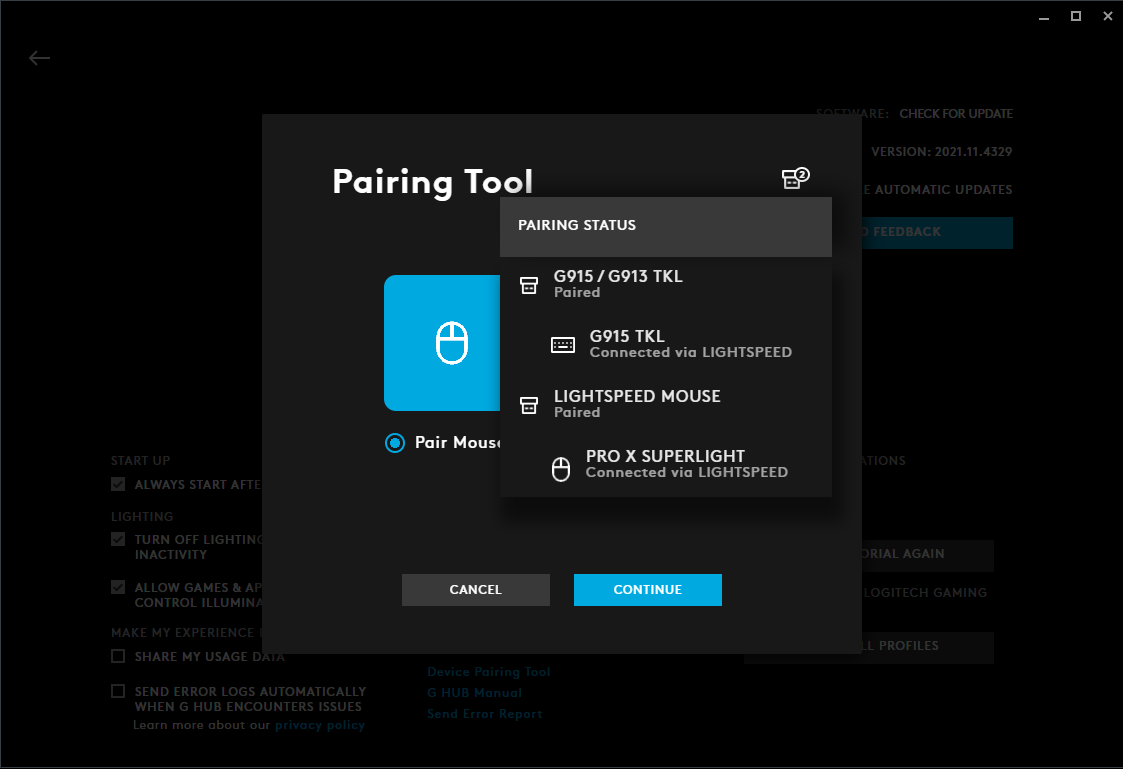
Please note that you can also see your plugged-in receivers’ status by hovering over the receiver icon in the right-hand corner. This will indicate what receivers are already paired and which ones are unpaired.
Pemberitahuan Penting: Alat Pembaruan Firmware tidak lagi didukung atau dikelola oleh Logitech. Kami sangat merekomendasikan penggunaan Logi Options+ untuk perangkat Logitech yang didukung. Kami siap membantu Anda selama masa transisi ini.
Pemberitahuan Penting: Manajer Preferensi Logitech tidak lagi didukung atau dikelola oleh Logitech. Kami sangat merekomendasikan penggunaan Logi Options+ untuk perangkat Logitech yang didukung. Kami siap membantu Anda selama masa transisi ini.
Pemberitahuan Penting: Logitech Control Center tidak lagi didukung atau dikelola oleh Logitech. Kami sangat merekomendasikan penggunaan Logi Options+ untuk perangkat Logitech yang didukung. Kami siap membantu Anda selama masa transisi ini.
Pemberitahuan Penting: Utilitas Koneksi Logitech tidak lagi didukung atau dikelola oleh Logitech. Kami sangat merekomendasikan penggunaan Logi Options+ untuk perangkat Logitech yang didukung. Kami siap membantu Anda selama masa transisi ini.
Pemberitahuan Penting: Perangkat Lunak Unifying tidak lagi didukung atau dipelihara oleh Logitech. Kami sangat merekomendasikan penggunaan Logi Options+ untuk perangkat Logitech yang didukung. Kami siap membantu Anda selama masa transisi ini.
Pemberitahuan Penting: Perangkat lunak SetPoint tidak lagi didukung atau dipelihara oleh Logitech. Kami sangat merekomendasikan penggunaan Logi Options+ untuk perangkat Logitech yang didukung. Kami siap membantu Anda selama masa transisi ini.
Frequently Asked Questions
Tidak ada produk yang tersedia untuk bagian ini
Tidak ada Unduhan untuk Produk ini
Tidak ada Unduhan untuk Versi ini.
Compatible Product
