Verify the Quickcam Pro 9000 is functional:
-
Launch QuickCam software (Start > Programs > Logitech > Logitech QuickCam)
-
Verify that you can see yourself in the QuickCam window as shown below:
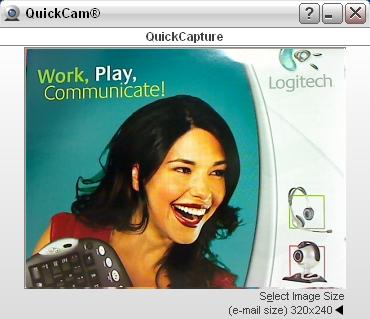
-
Close the QuickCam window.
Verify that the QuickCam Pro 9000 is selected in the AIM Settings:
-
Launch AIM (Start > Programs > AIM > AIM)
-
Select Settings from the Edit menu as shown below:

-
Verify that your QuickCam Pro 9000 is selected from the Camera drop-down menu as shown below:

-
Verify that your QuickCam Pro 9000 is selected from the Microphone drop-down menu as shown below:

If you still cannot see or hear the other person, it can be due to a variety of possible issues, including:
- Windows or third-party firewalls
- Your internet service provider (AT&T, Comcast, etc) could be blocking certain services.
- Missing Windows system components.
For assistance with these problems, visit the Video Software and Services page for a video tutorial. You can also visit the Help Page for AOL Instant Messenger.
Important Notice: The Firmware Update Tool is no longer supported or maintained by Logitech. We highly recommend using Logi Options+ for your supported Logitech devices. We are here to assist you during this transition.
Important Notice: The Logitech Preference Manager is no longer supported or maintained by Logitech. We highly recommend using Logi Options+ for your supported Logitech devices. We are here to assist you during this transition.
Important Notice: The Logitech Control Center is no longer supported or maintained by Logitech. We highly recommend using Logi Options+ for your supported Logitech devices. We are here to assist you during this transition.
Important Notice: The Logitech Connection Utility is no longer supported or maintained by Logitech. We highly recommend using Logi Options+ for your supported Logitech devices. We are here to assist you during this transition.
Important Notice: The Unifying Software is no longer supported or maintained by Logitech. We highly recommend using Logi Options+ for your supported Logitech devices. We are here to assist you during this transition.
Important Notice: The SetPoint software is no longer supported or maintained by Logitech. We highly recommend using Logi Options+ for your supported Logitech devices. We are here to assist you during this transition.
Frequently Asked Questions
There are no products available for this section
There are no Downloads for this Product
There are no Downloads for this Version
Compatible Product
