To configure profiles for your gaming mouse using Application Detection:
-
Open SetPoint.
Start > All Programs > Logitech > G9x, G500 and G700 Gaming Mice > Device Settings
-
Select your mouse from the device list.
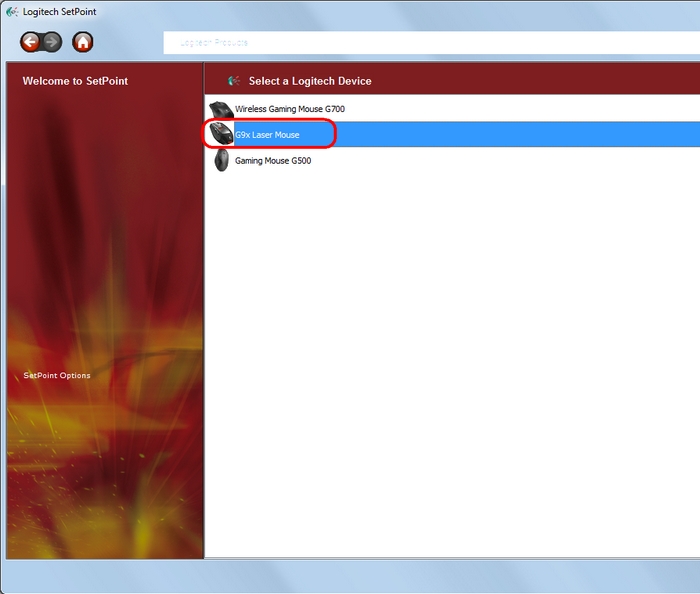
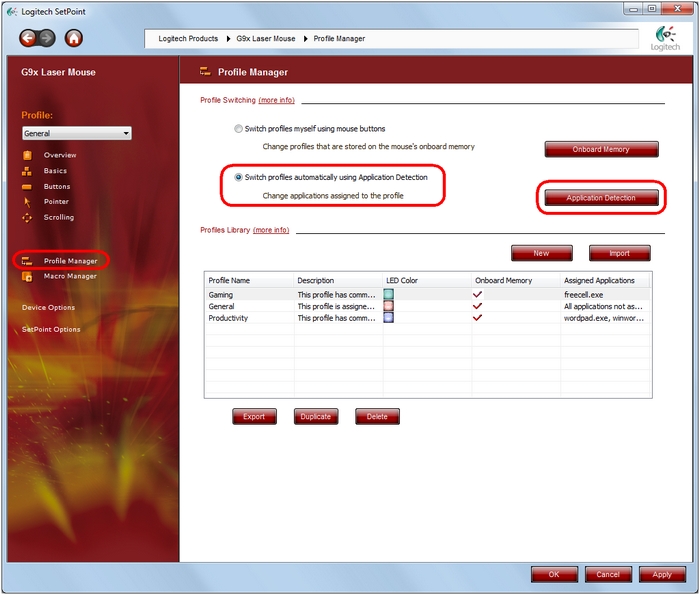
- Click Profile Manager on the left side of the window.
-
Make sure the "Switch profiles automatically using Application Detection" option is selected to enable automatic profile selection.
-
To edit the associated applications and games, click the Application Detection button.
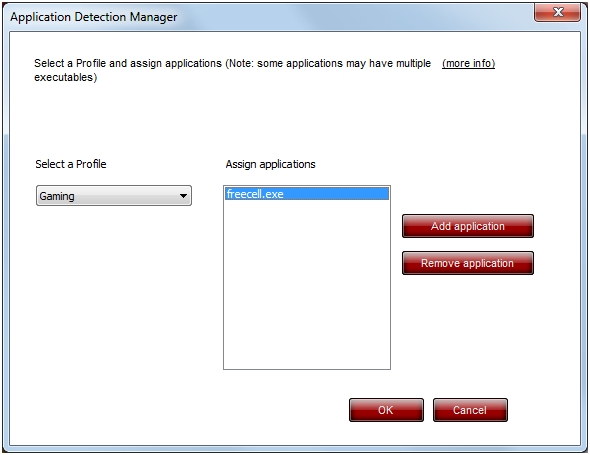
From the "Application Detection Manager" window, you can select the applications you want to associate with this profile.
NOTE: Use the "Select a Profile" pull-down menu to specify which profile you want to edit.
-
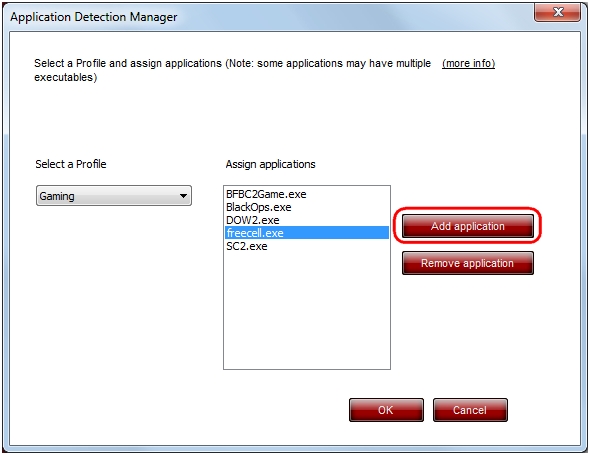
Click Add Application, browse to the game .exe, and click Open to add it to the list.
NOTE: All applications associated with a particular profile should show in the window after they're added.
-
Click OK when done.
Repeat this process for any other profiles you'd like to configure.
Important Notice: The Firmware Update Tool is no longer supported or maintained by Logitech. We highly recommend using Logi Options+ for your supported Logitech devices. We are here to assist you during this transition.
Important Notice: The Logitech Preference Manager is no longer supported or maintained by Logitech. We highly recommend using Logi Options+ for your supported Logitech devices. We are here to assist you during this transition.
Important Notice: The Logitech Control Center is no longer supported or maintained by Logitech. We highly recommend using Logi Options+ for your supported Logitech devices. We are here to assist you during this transition.
Important Notice: The Logitech Connection Utility is no longer supported or maintained by Logitech. We highly recommend using Logi Options+ for your supported Logitech devices. We are here to assist you during this transition.
Important Notice: The Unifying Software is no longer supported or maintained by Logitech. We highly recommend using Logi Options+ for your supported Logitech devices. We are here to assist you during this transition.
Important Notice: The SetPoint software is no longer supported or maintained by Logitech. We highly recommend using Logi Options+ for your supported Logitech devices. We are here to assist you during this transition.
Frequently Asked Questions
There are no products available for this section
There are no Downloads for this Product
There are no Downloads for this Version
Compatible Product
