NOTE: To conserve power, your keyboard case enters sleep mode when there has been no activity. Before trying these steps, press any key to make sure the keyboard isn't in sleep mode.
- Make sure your keyboard is turned on and in the typing position. The status LED will glow green briefly after you turn the keyboard on.
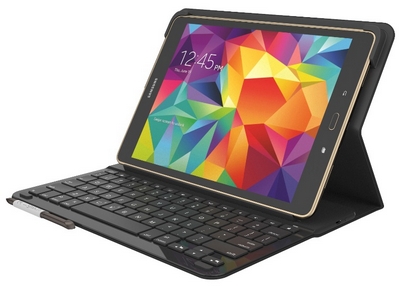
- Charge your keyboard case completely (see Charge the Logitech Type-S Tab A 9.7 keyboard case for instructions).
- Restart your tablet by turning it off and then back on.
- Make sure your keyboard case is properly paired with your tablet (see Connect the Logitech Type-S to a Samsung Galaxy Tab A 9.7 for reconnection instructions).
Important Notice: The Firmware Update Tool is no longer supported or maintained by Logitech. We highly recommend using Logi Options+ for your supported Logitech devices. We are here to assist you during this transition.
Important Notice: The Logitech Preference Manager is no longer supported or maintained by Logitech. We highly recommend using Logi Options+ for your supported Logitech devices. We are here to assist you during this transition.
Important Notice: The Logitech Control Center is no longer supported or maintained by Logitech. We highly recommend using Logi Options+ for your supported Logitech devices. We are here to assist you during this transition.
Important Notice: The Logitech Connection Utility is no longer supported or maintained by Logitech. We highly recommend using Logi Options+ for your supported Logitech devices. We are here to assist you during this transition.
Important Notice: The Unifying Software is no longer supported or maintained by Logitech. We highly recommend using Logi Options+ for your supported Logitech devices. We are here to assist you during this transition.
Important Notice: The SetPoint software is no longer supported or maintained by Logitech. We highly recommend using Logi Options+ for your supported Logitech devices. We are here to assist you during this transition.
Frequently Asked Questions
There are no products available for this section
There are no Downloads for this Product
There are no Downloads for this Version
Compatible Product
