The Device Pairing Tool in Logitech G HUB allows you to pair replacement USB receivers with your mouse or keyboard. You may also use this tool to pair your mouse with Logitech POWERPLAY.
The Device Pairing Tool will allow you to select the receiver and the device you want to pair it with. The receiver selected will determine what devices can be paired with it. The compatible devices that can be paired with the selected receiver will be shown afterward.
You may need to update the firmware on your device before using the Device Pairing Tool. Please follow any on-screen instructions you receive if G HUB informs you that your device firmware is out-of-date.
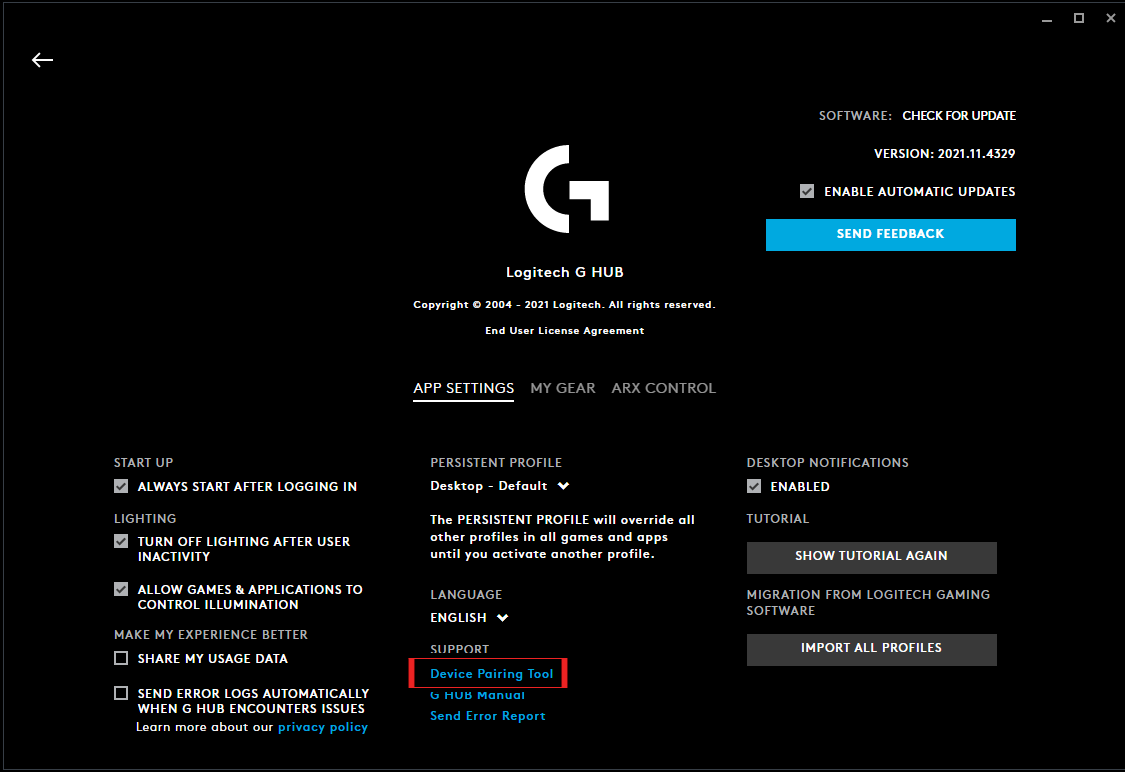
To get to the Device Pairing Tool, follow the steps below.
- Launch Logitech G HUB
- Go into G HUB SETTINGS by clicking the gear icon in the right-hand corner
-
Under SUPPORT, click on Device Pairing Tool to launch the new tool
-
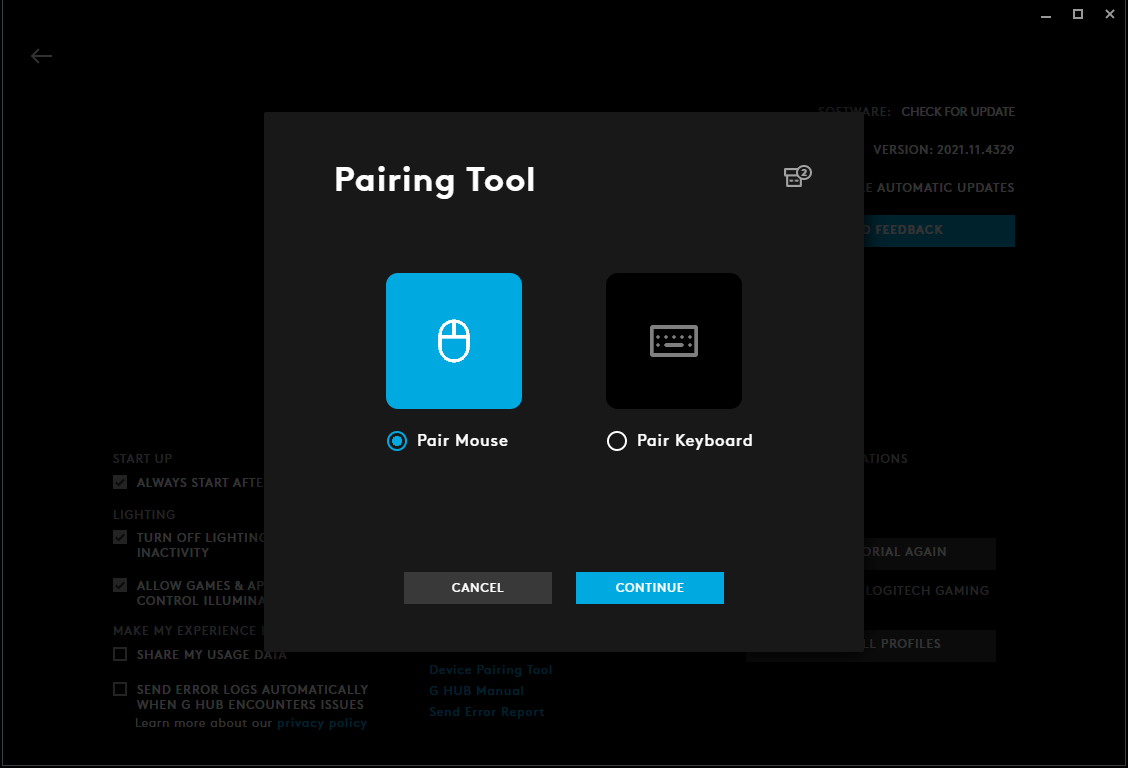
The Device Pairing Tool will launch and allow you to either pair mouse or keyboard. Please select the type of device you want to pair and follow the on-screen instructions.
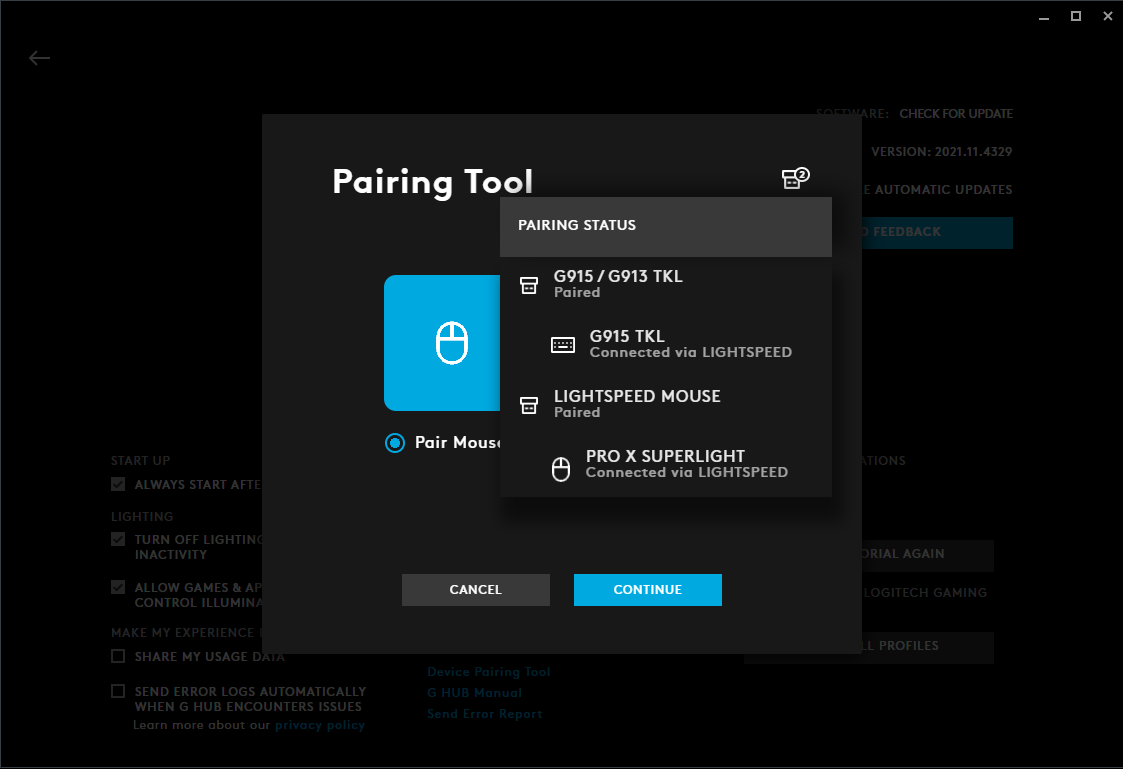
Please note that you can also see your plugged-in receivers’ status by hovering over the receiver icon in the right-hand corner. This will indicate what receivers are already paired and which ones are unpaired.
Důležitá poznámka: Nástroj pro aktualizaci firmwaru již není společností Logitech podporován ani udržován. Důrazně doporučujeme pro vaše podporovaná zařízení Logitech použít aplikaci Logi Options+. Jsme tu, abychom vám při tomto přechodu pomohli.
Důležitá poznámka: Aplikace Logitech Preference Manager již není společností Logitech podporována ani udržována. Důrazně doporučujeme pro vaše podporovaná zařízení Logitech použít aplikaci Logi Options+. Jsme tu, abychom vám při tomto přechodu pomohli.
Důležitá poznámka: Aplikace Logitech Control Center již není společností Logitech podporována ani udržována. Důrazně doporučujeme pro vaše podporovaná zařízení Logitech použít aplikaci Logi Options+. Jsme tu, abychom vám při tomto přechodu pomohli.
Důležitá poznámka: Nástroj Logitech Connection Utility již není společností Logitech podporován ani udržován. Důrazně doporučujeme pro vaše podporovaná zařízení Logitech použít aplikaci Logi Options+. Jsme tu, abychom vám při tomto přechodu pomohli.
Důležitá poznámka: Software Unifying již není společností Logitech podporován ani udržován. Důrazně doporučujeme pro vaše podporovaná zařízení Logitech použít aplikaci Logi Options+. Jsme tu, abychom vám při tomto přechodu pomohli.
Důležitá poznámka: Software SetPoint již není společností Logitech podporován ani udržován. Důrazně doporučujeme pro vaše podporovaná zařízení Logitech použít aplikaci Logi Options+. Jsme tu, abychom vám při tomto přechodu pomohli.
Časté otázky
V této sekci nejsou dostupné žádné produkty
Pro tento produkt nejsou k dispozici žádné Soubory ke stažení
Pro tuto verzi nejsou k dispozici žádné soubory ke stažení.
Compatible Product
